LISTS & TASKS
Forget less. Get things done together.
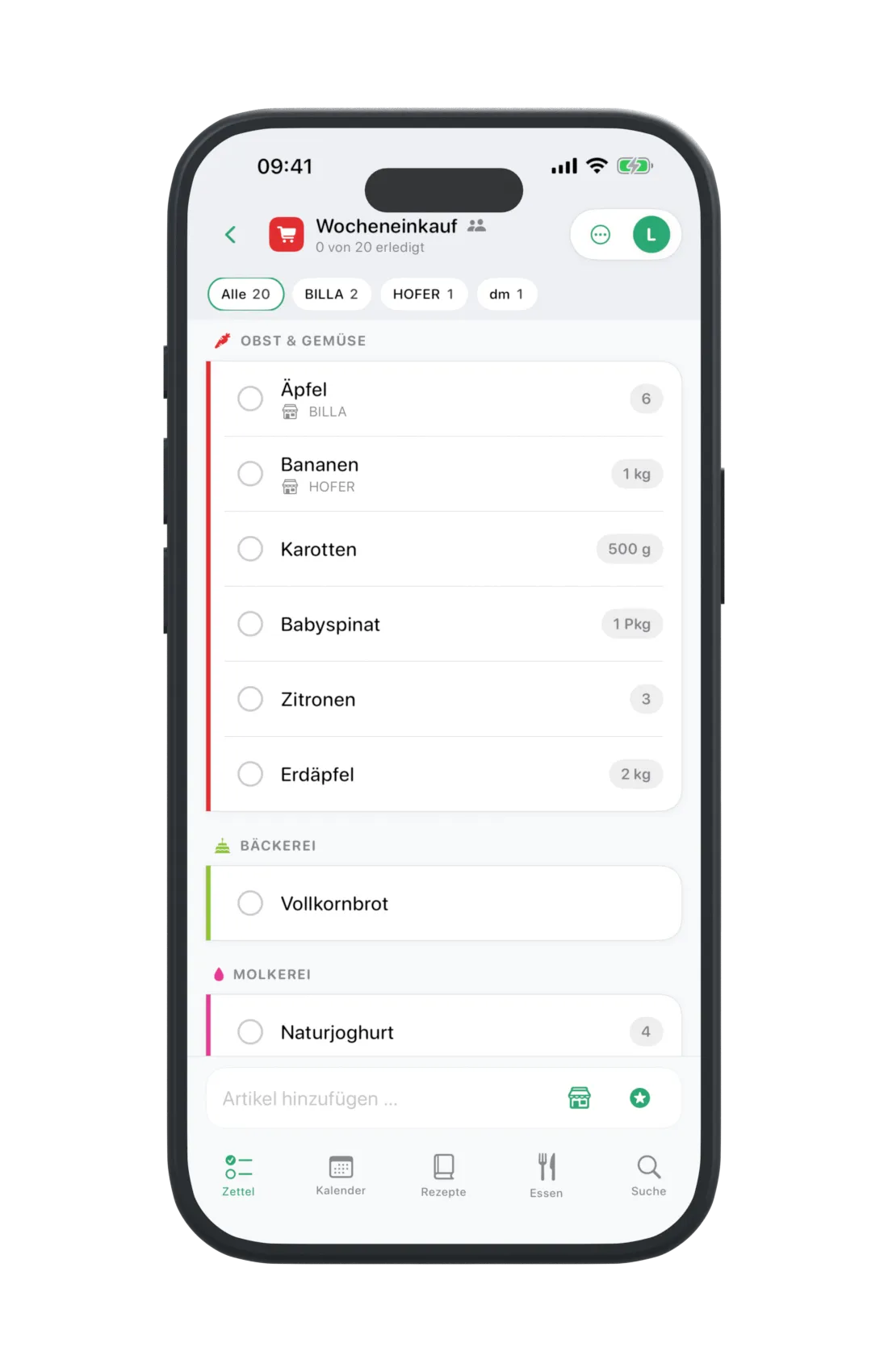
Filter by store, organise into categories and check things off. Shopping and tasks, on your own or together.
ORGANISE EVERYDAY LIFE TOGETHER
Shopping, tasks, recipes and shared plans. All in one place – and finally connected.
For iPhone, iPad, Android, Fire & web
LESS BACK AND FORTH
LISTS & TASKS
Filter by store, organise into categories and check things off. Shopping and tasks, on your own or together.
RECIPES & COOKBOOKS
Import by link, collect in cookbooks and adjust servings. Send ingredients straight to your list.
CALENDAR
Shared events with reminders. Include tasks and selected meals whenever you need them.
MEAL PLANS
Plan recipes, your own dishes and extras. Turn several meals into one shared shopping list.
FOUR AREAS. ONE EVERYDAY LIFE.
Lists, recipes, meal plans, your calendar, your AI assistant and Home Assistant all work with the same content. Start wherever you like.
SHOPPING TOGETHER
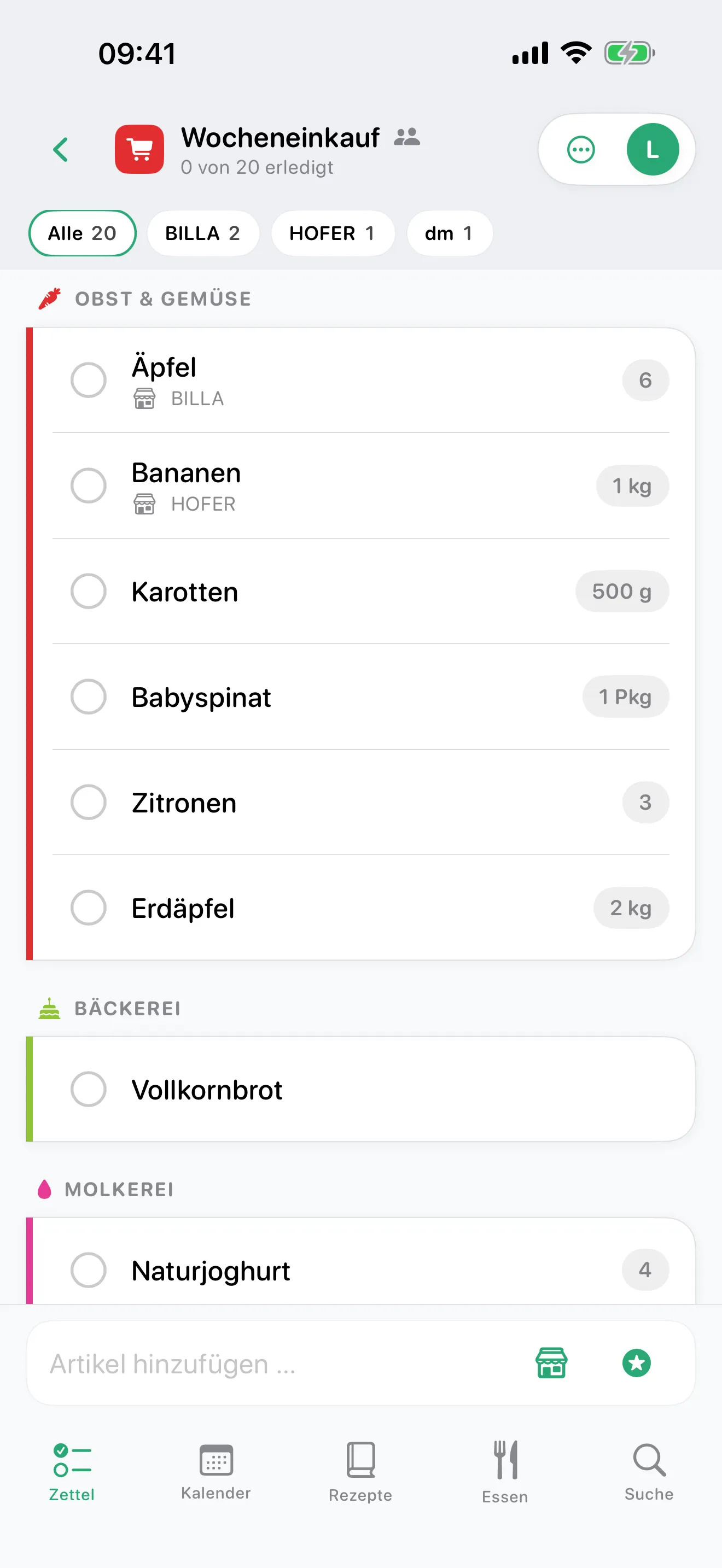
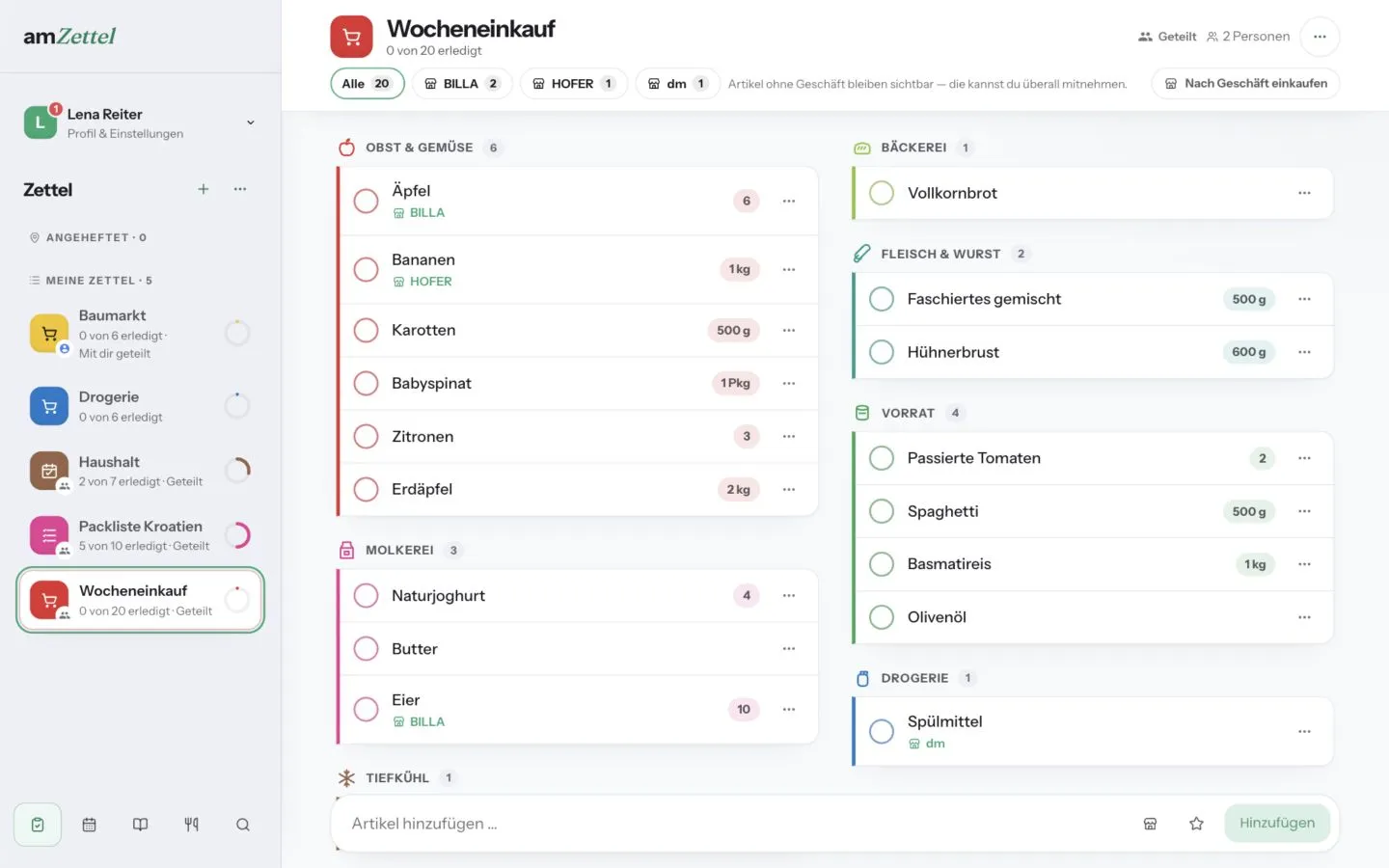
Whatever is missing goes on the list – and reaches everyone who shares it straight away. In the shop you filter by store and check things off. In the app that works without reception, too.
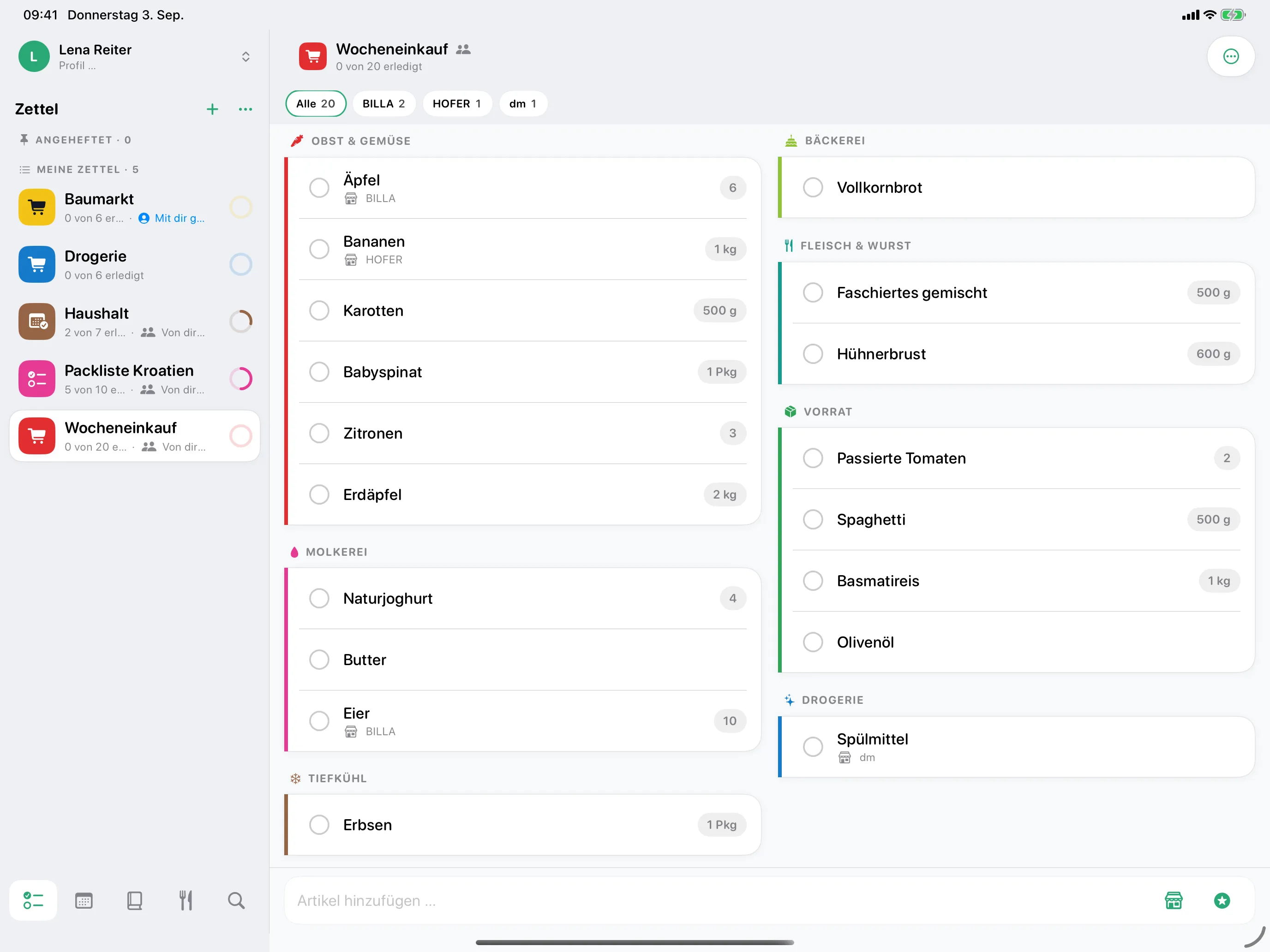
Categories organise the list, stores split it up. If an item is already on it, the quantities are added together.
Packing list, household, hardware store: a list can be a task list as well. Show due tasks in your calendar whenever you need them.
FROM RECIPE TO SHOPPING LIST
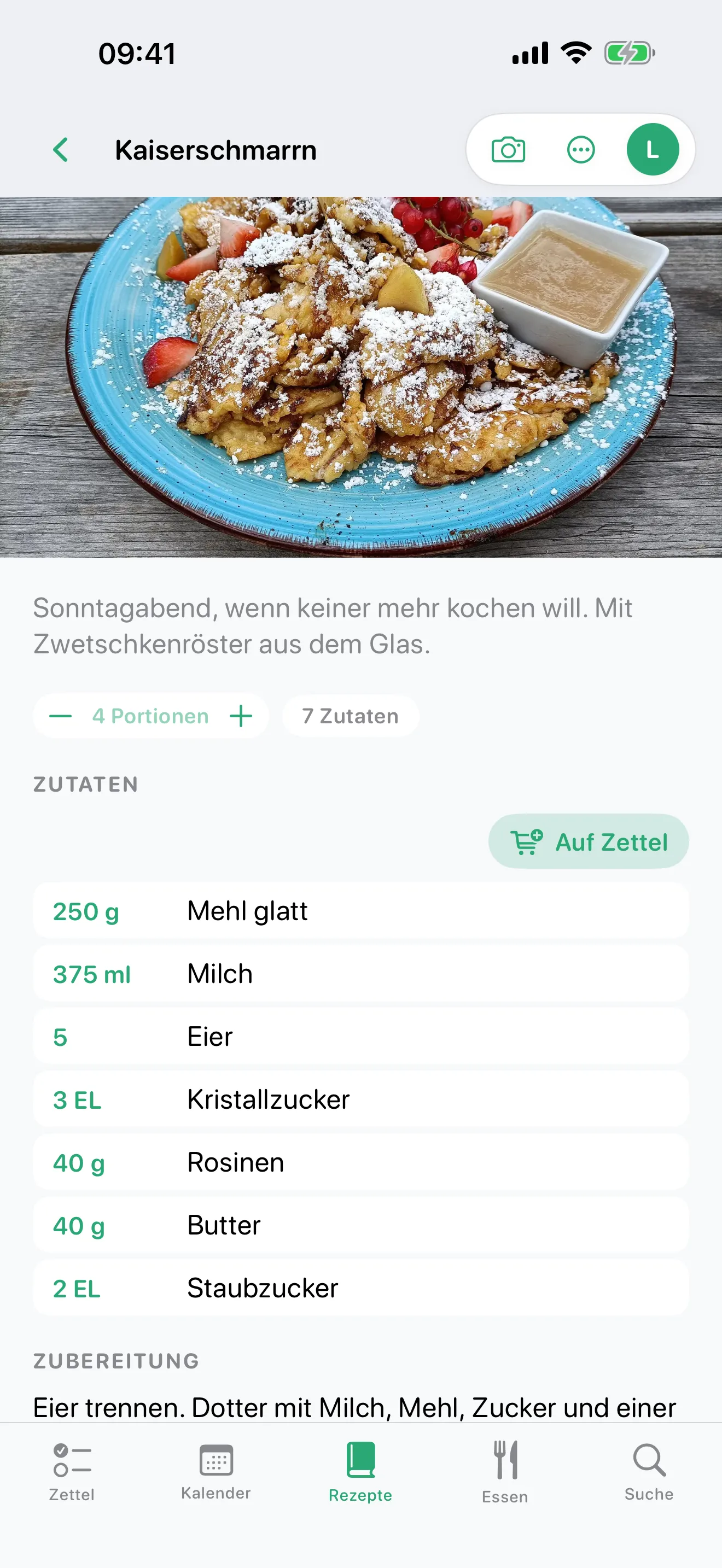
The recipe stays in your cookbook. Its ingredients go on your shopping list. No need to type everything out again.
ROOM FOR EVERYONE
Dinner on Tuesday, a barbecue on Saturday, brunch on Sunday. Recipes, your own dishes and even the charcoal all have a place in your meal plan.
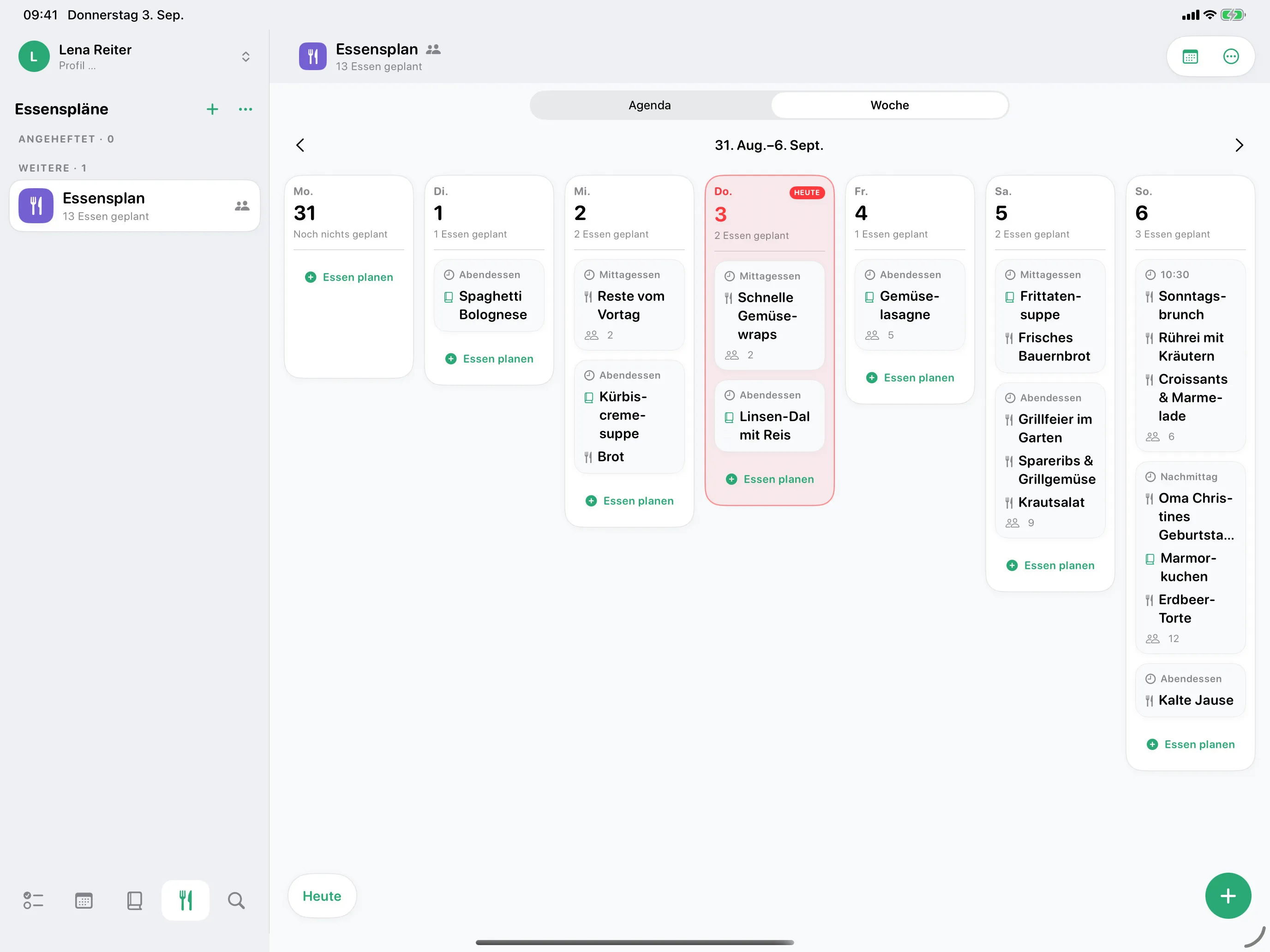
Choose your dates, review the ingredients and add them to a list together. Leave out what you already have.
A reminder for the barbecue? Absolutely. Every single dinner? Not necessary. You decide which meals appear in your calendar.
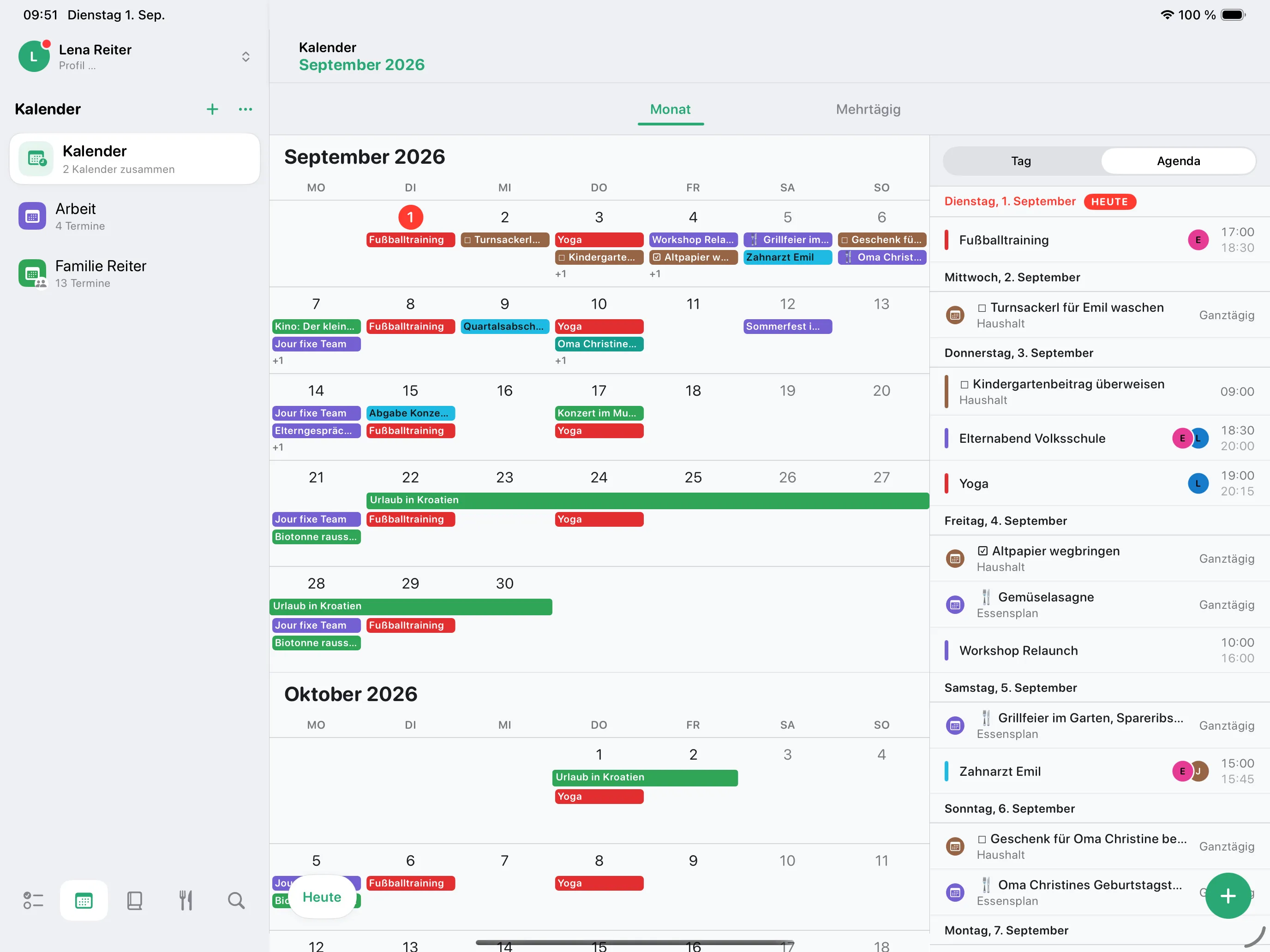
SEE THE WHOLE PICTURE
See events, tasks and selected meals together, while keeping them clearly distinct. Choose which event lists and task lists to display.
WITH YOUR AI ASSISTANT
amZettel connects to AI assistants through the open MCP standard. At your request, the assistant then reads and changes the same lists, calendars, recipes and meal plans you see in the app. Because it knows your calendar too, it plans something quick for training day.
When connecting, you confirm which areas the assistant may see and change – lists, calendars, recipes and meal plans, each separately for reading and changing. In the web app under Profile → “Connected systems” you can narrow that at any time or block the connection. Sharing, members and your account stay with you.
On the free plan, a connected assistant reads every area and changes your lists. For it to change calendars, recipes and meal plans as well, you need Premium. There is no limit on how many assistants you connect.
Enter this address as an MCP server in your assistant and sign in with your amZettel account:
https://app.amzettel.at/mcp
Tried and tested with claude.ai and Claude Code; other assistants that support MCP connect the same way. What the assistant retrieves from amZettel goes to its provider and is processed there under that provider’s terms.
WITH HOME ASSISTANT
The Home Assistant integration brings your lists, events and meal plans to your dashboard. It is the same content you see in the app, synced live. Nobody has to enter anything twice.
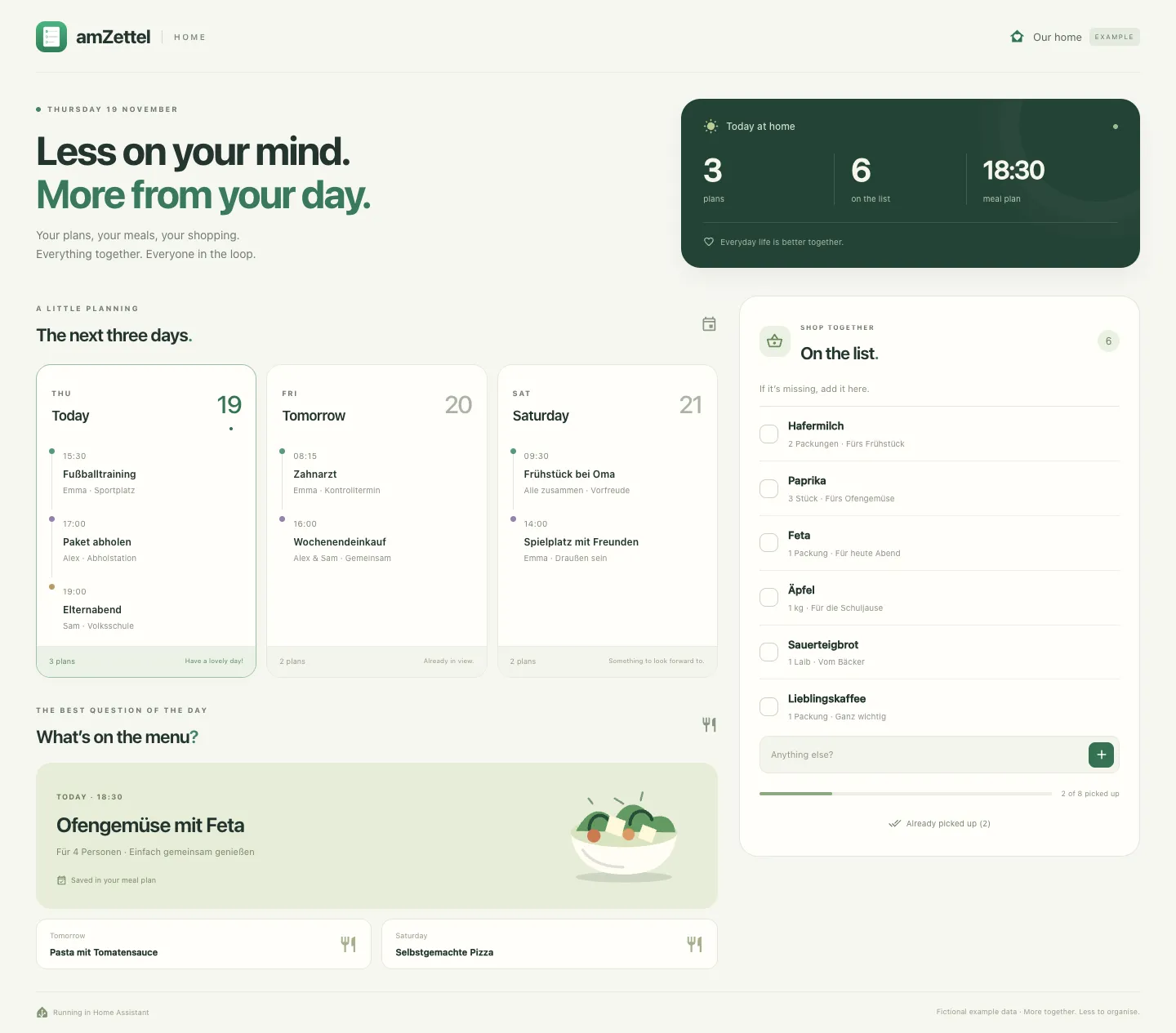
Add and check off groceries right on the dashboard, or by voice with Assist.
Your lists appear as to-do lists, your calendars and meal plans as calendars – ready for automations.
Installation, setup guide and the dashboard template shown here are on GitHub. View the integration
YOUR ACCOUNT. YOUR DEVICES.
The same app on iPhone, iPad, Android and Fire tablets – with the same features, and every new one arrives everywhere at the same time. Desktop apps for Windows, macOS and Linux are on the way.
 iPhoneiPad
Your list at the store, your recipe in the kitchen. Convenient, with push and passkey sign-in, and with downloaded content available offline.
More perspective with a sidebar, spacious calendar views and a full week of meals. The same app, designed for a larger screen.
Plan on your laptop or desktop, on Windows or Mac. Right in your browser, no installation needed. Internet connection required.
GOOD TO KNOW
Yes. All areas are available for personal use. The free plan lets you share one list and includes 50 one-time AI credits for recipe imports.
No. You can accept invitations and collaborate on shared content without Premium. You need Premium to share beyond the free limits yourself.
In the app under Profile → Premium, through the store you installed it from. Your subscription also applies on the web when you use the same amZettel account. Web checkout is not currently available.
The apps for iPhone, iPad, Android and Fire tablets keep previously loaded content available locally and sync supported changes later. Signing in, importing recipes and sharing need internet. The web app is online-only.
Yes. The open-source integration for Home Assistant shows your lists, events and meal plans on your dashboard and keeps them in sync with the app. On the free plan it reads every area and changes your lists; changing events needs Premium. Installation and setup are on GitHub.
Enter your email address, confirm the code sent to you and you’re ready. No password needed. Use the same address on your devices to access the same account.
ALL ON YOUR LIST.
Start with a list. The rest comes together.